



Privacy just became the biggest selling point in artificial intelligence.
Venice AI is the tool people talk about when they want powerful models without surveillance.
It runs on open-source LLMs and stores nothing on central servers.
So what does that mean for you?
You get uncensored, private conversations that stay on your device.
Key Takeaways
- Venice AI is a privacy-first platform built on open-source models with no chat logging.
- A free tier exists, with Pro and API plans for heavier users.
- Our hands-on analysis suggests it’s a legit alternative to mainstream chatbots.
What is Venice AI
Venice AI is a private, permissionless AI platform for text, image, and code generation.
It was co-founded with backing from Erik Voorhees, a known name in crypto and privacy circles.
Unlike big-name chatbots, it doesn’t retain your data on company servers.
Your history lives in your browser, not their cloud.
The platform leans on open-source models like Llama and others.
Tech insiders are noting that this approach appeals to users tired of content filters and data mining.
You can learn more from its official site.
How to Use Venice AI
Getting started is refreshingly simple.
No install is required for the web version.
Here’s how we approached it:
| 1 | Visit the Venice AI website in any modern web browser. |
| 2 | Enter a prompt into the chat box to begin generating text. |
| 3 | Switch to Image Mode if you want to create AI-generated artwork. |
| 4 | Adjust the model settings to use a different AI model (LLM) if desired. |
Our team observed fast responses even on the free plan.
You can also toggle safe mode on or off depending on your needs.
Venice AI Login (Step-by-Step)
Logging back in takes seconds.
Follow these simple steps:
| 1 | Go to venice.ai and click “Sign In.” |
| 2 | Enter your registered email or connect a crypto wallet. |
| 3 | Verify your identity using your password or a wallet signature. |
| 4 | Access your dashboard and continue your previous work. |
If you used a wallet, no password is needed.
This wallet-based login is one detail that sets it apart.
Venice AI Sign Up (Step-by-Step)
Creating an account is equally quick.
Here’s the exact process we followed:
| 1 | Open the homepage and click “Get Started.” |
| 2 | Enter your email address or connect a Web3 wallet. |
| 3 | Verify your email using the confirmation link sent to your inbox. |
| 4 | Create a password and accept the terms and conditions. |
| 5 | Access your free dashboard and start using the platform immediately. |
You can start chatting before ever paying a cent.
The onboarding stayed friction-free during our test.
Is Venice AI Free?
Yes, there’s a genuine free plan. It includes daily limits on text and image prompts.
For casual use, our hands-on analysis suggests the free tier is enough for most people.
Heavy users will hit caps fairly quickly.
That’s where the paid tiers come in.Staking VVV tokens can also boost your limits without a subscription.
Venice AI Price
Pricing stays straightforward across tiers.
Here’s the plan comparison our team built:
| Plan | Price (Monthly) | Best For |
|---|---|---|
| Free | $0 | Casual users, testing |
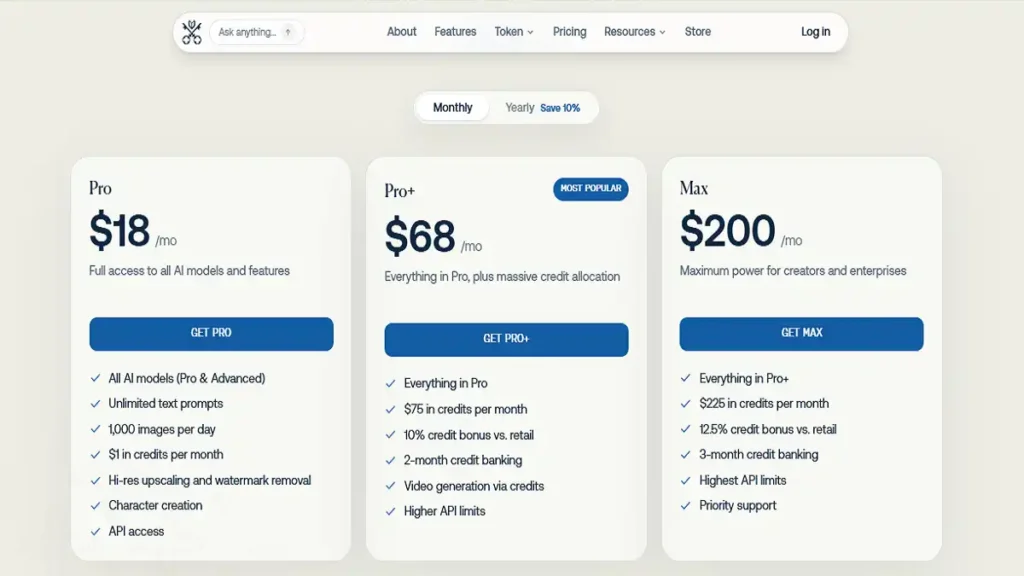
| Pro | ~$18 | Power users, no limits |
| API (Pay-as-you-go) | Usage-based | Developers |
Prices may shift, so check the live page before buying.
The Pro plan removes daily caps and adds priority speed.
Venice AI App
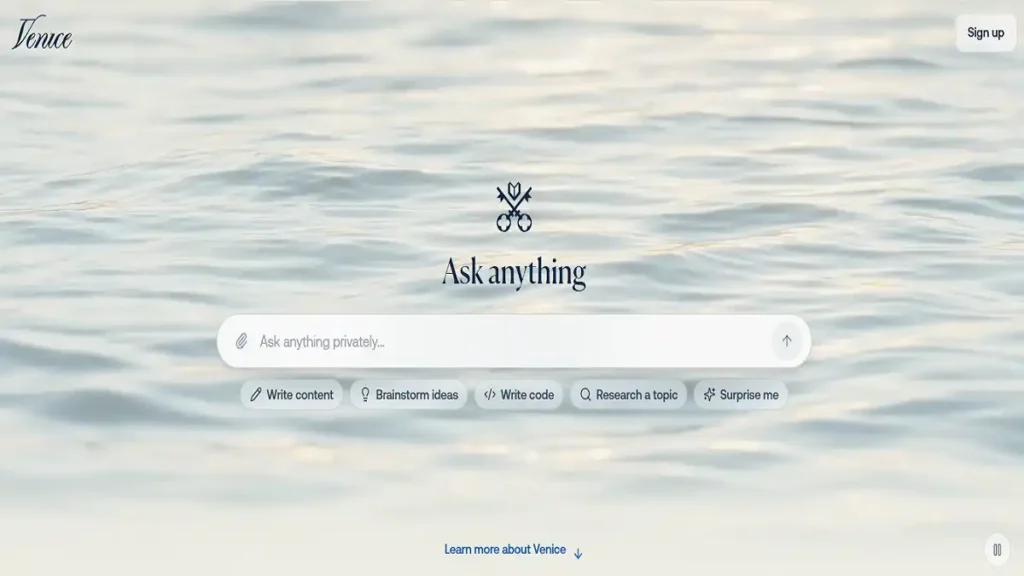
A dedicated mobile experience rounds out the ecosystem. The Venice AI app works through both browser and native builds.
iOS and Android users get a clean, responsive layout. We found the mobile chat nearly identical to desktop.
It keeps the same privacy promise on the go. Push notifications and offline history make daily use smooth.
Venice AI Features
If you’ve been tracking AI tools, these highlights will stand out:
| 1 | Private chats with no server-side logging. |
| 2 | Uncensored responses powered by open-source AI models. |
| 3 | Text, image, and code generation in a single platform. |
| 4 | Wallet-based login for Web3 users and crypto enthusiasts. |
| 5 | VVV token staking for additional usage benefits. |
| 6 | Multiple AI model choices available for each prompt. |
This blend of privacy and flexibility is rare.
Venice AI Reviews
User sentiment leans positive but honest. People love the privacy focus and no-filter output.
Some note that response quality trails top proprietary models at times. Still, the trade-off feels worth it for privacy seekers.
Coverage from outlets like TechCrunch and MIT Technology Review has boosted its profile. Our verdict: a solid 4 out of 5.
Alternatives AI Tools
No single tool fits everyone.
Here are strong alternatives we recommend:
| 1 | ChatGPT — Polished, feature-rich AI assistant with broad capabilities, though less privacy-focused. |
| 2 | Claude — Known for strong reasoning abilities and a safety-focused design. |
| 3 | Perplexity — Excellent for research, web search, and citations. |
| 4 | HuggingChat — A free, open-source AI chatbot built by Hugging Face. |
| 5 | DuckDuckGo AI Chat — A privacy-first AI chat option with minimal data collection. |
Each shines in a different lane.
Venice AI API
Developers get a flexible API for integration. It follows a familiar OpenAI-compatible format.
This means minimal code changes when switching over. Documentation is clear and beginner-friendly.
You can review the official docs and community repos on GitHub. Pricing runs pay-as-you-go, so you only fund what you use.
News
Momentum keeps building around Venice AI. Recent updates added new models and faster image generation.
Tech insiders are noting rising interest in its VVV token ecosystem. Privacy remains its headline story heading deeper into 2026.
Is it Legit?
Yes, our research points to a legitimate operation. It has named founders, public backing, and active development.
The open-source foundation adds transparency few rivals match. Nothing suggests deceptive practices.
Safe or Scam
Venice AI is safe, not a scam. Its no-logging policy and local storage reduce data risk.
Just apply normal caution with any crypto or token feature. Treat wallet keys with the same care you always would.
FAQ
- Is Venice AI free? Yes, a free tier exists with daily limits.
- Does it store my chats? No, history stays on your device.
- Can I use a wallet to log in? Yes, Web3 login is supported.
- Is there an app? Yes, on iOS and Android.
- Does it have an API? Yes, with an OpenAI-compatible setup.