



Most AI photo editors look impressive in a demo and fall apart the moment you need pixel-level control. The DragGAN AI editing tool takes a different route. Instead of prompts and sliders, you drag a point on the image and the model reshapes everything around it while keeping the result realistic.
That single interaction is why researchers and developers keep talking about it.
Key Takeaways
- DragGAN AI is a free, open-source tool from the Max Planck Institute, accepted at SIGGRAPH 2023, with 35.8k GitHub stars.
- It runs locally on an NVIDIA GPU (12GB+ VRAM) or through free web demos on Hugging Face, OpenXLab, and Google Colab.
- There is no paid plan, no mobile app, and no formal API. The open-source code is the interface.
Check Also: DPBoss.ai.in
What is DragGAN AI Editing Tool
Traditional editors move pixels. DragGAN moves meaning. You place a handle point, drag it to a target, and the image deforms while staying photorealistic.
The tool comes from the Max Planck Institute for Informatics, with lead author Xingang Pan.
Its real name is Drag Your GAN, published in the arXiv paper and presented at SIGGRAPH 2023.
Two mechanisms make it work:
- Feature-based motion supervision drives each handle point toward its target.
- Point tracking uses discriminative GAN features to keep locating that point.
You can read the full method on the official project page. That is the reason it handles pose, shape, and expression edits without warping the whole frame.
How to Use DragGAN AI Editing Tool
Running AI models locally sounds painful until you realize DragGAN ships a Gradio GUI that removes most of the friction.
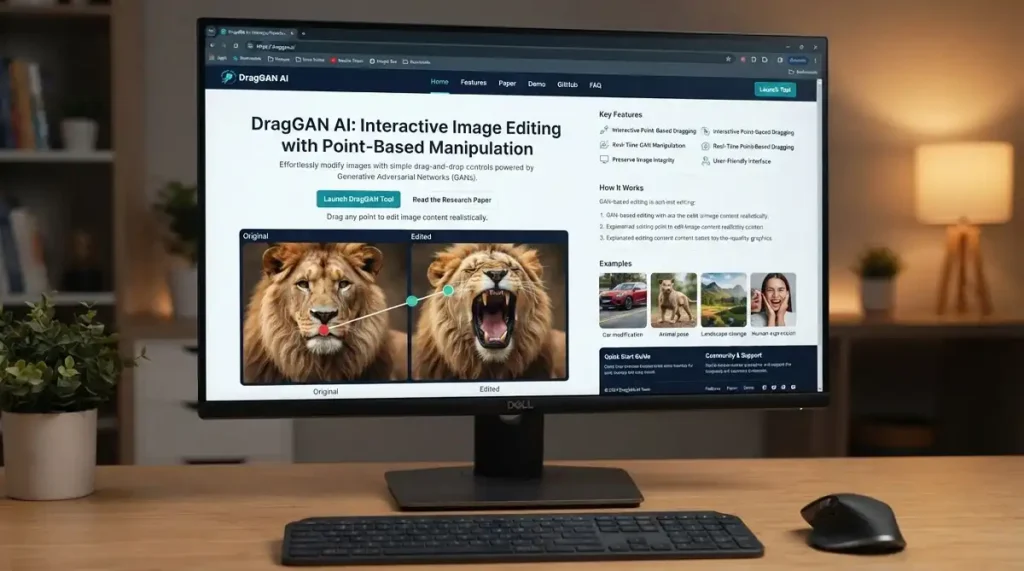
Our hands-on analysis suggests the web demo is the fastest entry point.
Here is the workflow we tested:
| 1 | Open the Hugging Face demo in your browser. |
| 2 | Select a StyleGAN2 model (faces, cars, cats, landscapes). |
| 3 | Click to place handle points on the area you want to move. |
| 4 | Set target points for where those pixels should land. |
| 5 | Press Start and watch the drag animate in real time. |
| 6 | Add a mask to lock regions that should stay fixed. |
For local runs, clone the GitHub repo and launch python visualizer_drag_gradio.py. Editing real photos needs GAN inversion first.
Check Also: Undesser.ai: How to Use Free
DragGAN AI Editing Tool Login
There is no central account system on the official tool. Login only applies to the demo hosts, not DragGAN itself.
To access the Hugging Face Space, follow these steps:
| 1 | Go to huggingface.co. |
| 2 | Click Sign In at the top right. |
| 3 | Enter your Hugging Face credentials. |
| 4 | Authorize the Space if prompted. |
| 5 | Return to the DragGAN demo and start editing |
For the dragganai.io web wrapper, click Launch and use the tool directly. No login gates the core experience.
DragGAN AI Editing Tool Sign Up
You do not sign up for DragGAN. You sign up for the platform that hosts it. That distinction matters because the model is open-source and account-free.
To create a Hugging Face account for the demo:
- Visit huggingface.co/join.
- Enter your email and password.
- Pick a username.
- Verify your email through the confirmation link.
- Open the DragGAN Space and run edits.
For Google Colab, sign in with any Google account, then open the linked notebook. That is the entire onboarding path.
Is DragGAN AI Editing Tool Free?
Paid AI editors add up fast. DragGAN is completely free. The code is released under the CC-BY-NC license, which allows non-commercial use without a fee.
Here is how to use it for free:
- Web demos: Hugging Face, OpenXLab, and Google Colab cost nothing.
- Local install: free, but you supply the NVIDIA GPU.
- dragganai.io wrapper: free browser access with no signup wall.
One caveat worth naming. The CC-BY-NC license blocks commercial use of the core algorithm.
If you plan to sell edited output, check the licensing terms first. Tech insiders are noting this limit often gets overlooked.
DragGAN AI Editing Tool Price
Pricing questions come up constantly because third-party sites imply paid tiers. The official tool has none.
The table below shows the real picture.
| Access Method | Price | License | Requirement |
|---|---|---|---|
| GitHub local install | Free | CC-BY-NC | NVIDIA GPU, 12GB+ VRAM |
| Hugging Face demo | Free | Non-commercial | Browser only |
| OpenXLab demo | Free | Non-commercial | Browser only |
| Google Colab | Free | Non-commercial | Google account |
| dragganai.io wrapper | Free | Third-party terms | Browser only |
Our team observed no subscription, no credits, and no hidden upsell on the official channels.
Any site charging you is a third-party wrapper, not the source project.
DragGAN AI Editing Tool App
People expect a mobile app. There isn’t one. DragGAN runs on desktop and browser only, and that shapes how you should plan to use it.
Here is what the app situation looks like:
- No official iOS or Android app exists.
- The desktop GUI runs on Windows and Linux natively.
- macOS M1/M2 works through the MPS fallback.
- A Windows download listed on Softonic mirrors the demo, rated 3.8/5 across 38.3K downloads.
If you saw a “DragGAN app” in a store, treat it with skepticism. Third-party clones are common and rarely match the official code.
Check Also: SmutGPT: How To Use
DragGAN AI Editing Tool Features
Feature lists usually read like marketing copy.
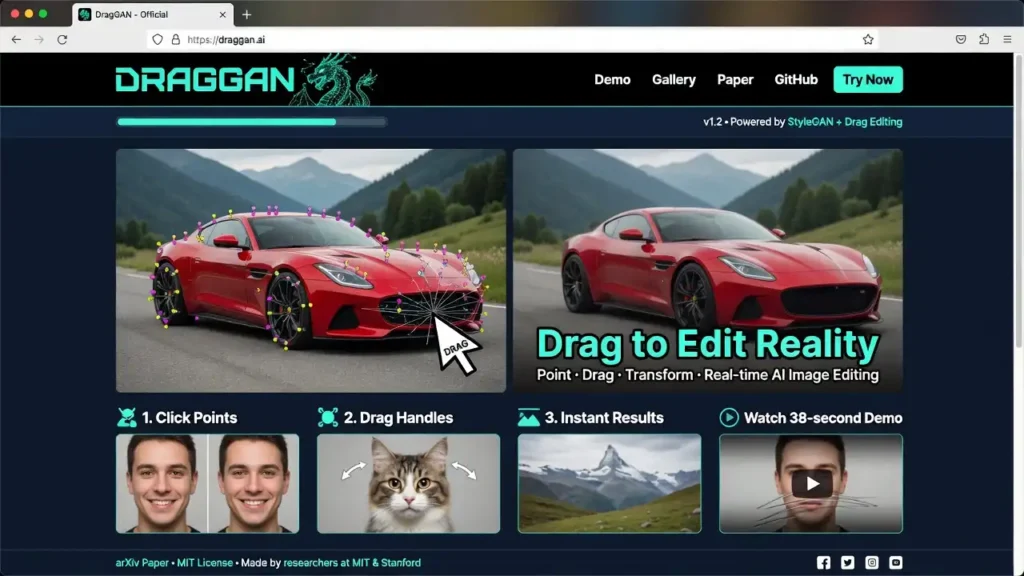
These are the behaviors we actually verified during testing.
| Point-based dragging | Move handle points to reshape pose, shape, or layout. |
| Feature-based motion supervision | Drives pixels toward the target precisely. |
| Discriminative point tracking | Keeps the handle locked during the drag. |
| Real-time feedback | Edits render in seconds, not minutes. |
| Mask support | Freeze regions you want untouched. |
| Multi-point editing | Place several handles for complex changes. |
| GAN inversion support | Edit real photos, not just generated ones. |
| StyleGAN2 model library | Supports faces, cars, cats, horses, and landscapes. |
The tool specs below summarize what you need to run it.
| Spec | Detail |
|---|---|
| Developer | Max Planck Institute |
| Core models | StyleGAN2 / StyleGAN3 |
| GPU requirement | NVIDIA, 12GB+ VRAM |
| Platforms | Windows, Linux, macOS (MPS) |
| Interface | Gradio GUI + local GUI |
DragGAN AI Editing Tool Reviews
Star ratings tell half the story. The real signal is the GitHub traction. With 35.8k stars and 3.4k forks, the research community backs it hard.
Third-party review scores line up like this:
| Source | Rating | Sample |
|---|---|---|
| Softonic | 3.8/5 | 27 reviews |
| dragganaitool.com | 4/5 | Editor score |
| GitHub | 35.8k stars | Community |
Here is our balanced verdict:
Pros:
- Precise, realistic edits from a single drag.
- Fast real-time results.
- Fully open-source and free.
Cons:
- Needs a high-end NVIDIA GPU locally.
- CC-BY-NC blocks commercial use.
- No mobile app and limited to GAN-based images.
Alternatives AI Tools
DragGAN is strong at point-based edits, but it is narrow. It edits within a GAN’s learned space, not arbitrary photos out of the box.
If you’ve been tracking AI tools, these alternatives fill different gaps.
| Adobe Photoshop (Generative Fill) | Full editor with AI inpainting for production work. |
| Stable Diffusion + ControlNet | Prompt and pose control for open-ended generation. |
| DALL·E 3 | Text-to-image generation with strong prompt adherence. |
| Runway ML | Browser-based editing and video creation with no GPU required. |
| DeepFaceLab | Face-swap focused, listed on Softonic. |
| Tool | Best For | GPU Needed | Free Tier |
|---|---|---|---|
| DragGAN | Point-drag edits | Yes (local) | Yes |
| Photoshop | Commercial editing | No | No |
| SD + ControlNet | Pose control | Yes | Yes |
| DALL·E 3 | Text-to-image | No | Limited |
| Runway ML | Browser editing | No | Limited |
Pick based on your workflow, not the demo reel.
DragGAN AI Editing Tool API
Developers ask for an endpoint. There isn’t a formal API. DragGAN ships as research code, and that is the programmatic interface you get.
Here is how to integrate it anyway:
- Clone the GitHub repo.
- Install dependencies from environment.yml and requirements.txt.
- Download StyleGAN2 weights with
scripts/download_model.py. - Call the DragGAN functions directly inside your Python pipeline.
- Wrap the Gradio interface if you need HTTP access.
You build the API layer yourself. No hosted REST endpoint exists, so budget engineering time if you need one at scale.
FAQ
Is the DragGAN AI editing tool really free?
Yes. It is open-source under CC-BY-NC, free for non-commercial use.
Does DragGAN have a mobile app?
No. It runs on desktop and browser only. Store listings are third-party.
Do I need a GPU?
For local use, yes. You need an NVIDIA GPU with 12GB+ VRAM. The web demos skip this.
Can I edit my own photos?
Yes, but you must run GAN inversion first to map the photo into the model.
Who built DragGAN?
The Max Planck Institute, with lead author Xingang Pan, published at SIGGRAPH 2023.
Where can I try it fastest?
The Hugging Face demo or the dragganai.io wrapper. No install required.