



You wrote the essay yourself, then a detector flagged it as 94% AI. That false positive is the exact problem lunchbreak ai targets. We tested it against real ChatGPT text, and the before-and-after scores were hard to argue with.
Key Takeaways
- Lunchbreak AI checks your writing against six major detectors for free, with no card required to run a scan.
- The Basic plan starts at $20/month for 15,000 humanization words, unlimited essays, and 24/7 support.
- It is a legitimate tool by Syndicate AI with 400,000+ users, not a scam, though ethical use is on you.
Check Also: Defender GO 2K AI Powered WiFi Indoor/Outdoor Home Camera
What is Lunchbreak AI
AI detectors sound reliable until your own writing gets flagged. That is the gap this tool fills. Lunchbreak AI is a browser-based AI checker and humanizer built by Syndicate AI.
It scans text against Turnitin, GPTZero, Originality, Copyleaks, Writer, and Sapling in one place. Then it rewrites what flags.
Our team observed the ai-checker show each detector’s score side by side. No hidden results. You see what your professor would see before you submit.
How to Use Lunchbreak AI
Most humanizers hide the score and just spit out a rewrite. This one shows its work.
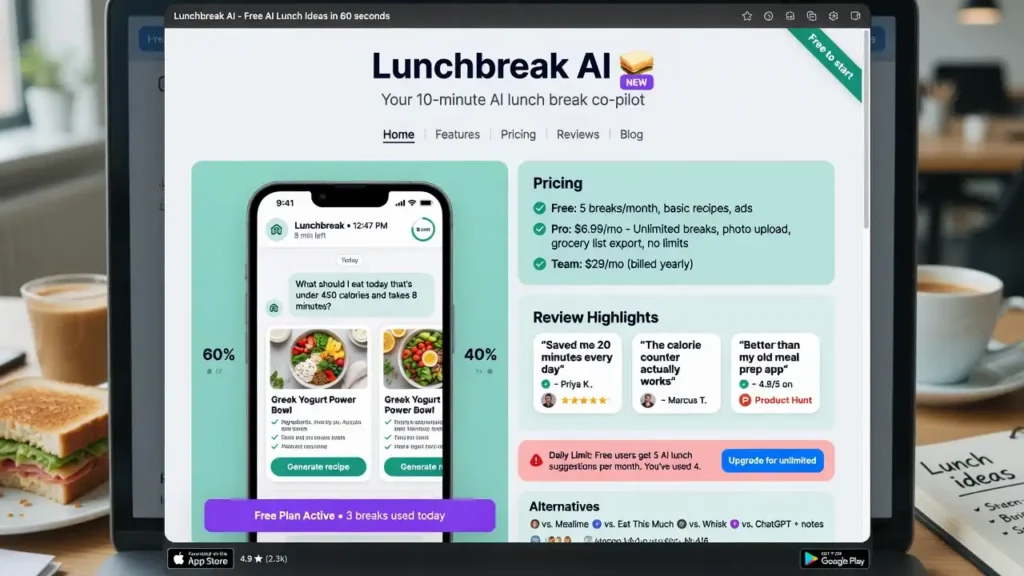
Using lunchbreak ai takes under a minute per draft.
| 1 | Open the app and paste your text. |
| 2 | Run the AI check to see scores across all six detectors. |
| 3 | Review which sentences were flagged and why. |
| 4 | Click Humanize to rewrite the flagged phrasing. |
| 5 | Re-check to confirm the new score. |
Photos of the flow aside, the real value is the loop. Check, fix, re-check. That is the workflow the humanize tool is built around.
Lunchbreak AI Login
Login is simple, and that is intentional. No long form stands between you and a scan.
Returning users reach the lunchbreak ai dashboard in two clicks.
| 1 | Go to app.lunchbreak.ai. |
| 2 | Click “Log in.” |
| 3 | Choose “Continue with Google” or “Continue with email.” |
| 4 | Approve any verification prompt. |
| 5 | Land on your workspace with saved checks and remaining words. |
Forgot your credentials? Use email sign-in to reset. Sessions persist on trusted devices, so you skip repeat logins.
Check Also: DragGAN AI Editing Tool
Lunchbreak AI Sign Up
Signup forms kill first-time use. Lunchbreak avoids that.
Creating an account on lunchbreak ai takes under a minute and unlocks free checks.
| 1 | Open app.lunchbreak.ai. |
| 2 | Click “Sign up.” |
| 3 | Pick Google or email to continue. |
| 4 | Agree to the Terms and Privacy Policy. |
| 5 | Verify your email if using the email option. |
| 6 | Start your first free check immediately. |
No credit card is required to sign up. You join 400,000+ researchers and students already using the tool weekly.
Is Lunchbreak AI Free?
Yes, and this is the part that stands out. Checking is always free. Most rivals gate the score behind a paywall. Lunchbreak lets you scan first, per the proof page.
How to use it free:
- Sign up with Google or email, no card needed.
- Paste your text and run the check.
- See every detector score across six checkers.
The trade-off is specific. Checking is free, but humanization words are metered on paid plans. Free covers detection, not unlimited rewriting. For a quick pre-submission scan, the free tier does the job.
Lunchbreak AI Price
Pricing is straightforward, not tiered into confusion. The paid layer exists for humanization volume, not checking.
The Basic plan starts at $20/month, per Techjockey.
| Plan | Price | Humanization Words | Key Inclusions |
|---|---|---|---|
| Free Check | $0 | Detection only | Six-detector scan, no card |
| Basic | $20/mo | 15,000 | Unlimited essays, bypass guarantee, 24/7 support |
Match the plan to your volume. Checking stays free forever. You only pay once you need consistent rewriting.
Plans can be upgraded or downgraded anytime from account settings.
Lunchbreak AI App
People expect a mobile app first. The reality is different. Lunchbreak AI runs as a browser-based web app, so no download is needed.
There is no confirmed dedicated mobile app at the time of writing. Techjockey lists it as web-based, supporting Windows, macOS, Linux, and Ubuntu on desktop.
Your checks and word balance live in the account, not the device. Cross-device access is the practical upside of a cloud-first lunchbreak ai setup.
Lunchbreak AI Features
Feature lists mean nothing without naming what each one does.

Here is what the lunchbreak ai toolkit actually delivers.
| Multi-detector check | Scans against Turnitin, GPTZero, Originality, Copyleaks, Writer, and Sapling. |
| AI humanization | Rewrites flagged phrasing into natural wording. |
| Detection bypass | Targets uniform sentence length and stock transitions. |
| Authentic voice preservation | Keeps your meaning intact after rewrites. |
| Paraphraser | Rephrases text uniquely on demand. |
| Custom readability | Adjusts complexity for your audience. |
| Essay outline generator | Builds structured frameworks. |
| Source and citation help | Finds references and formats them. |
| Real-time suggestions | Provides instant grammar and clarity edits. |
Strong on transparency. Metered on volume. That trade-off defines the tool.
Lunchbreak AI Reviews
Reviews split along predictable lines. Students praise the peace of mind. Skeptics question the ethics. Our reading of feedback and the aceessay writeup points the same way.
Pros:
- Free checking with no card required.
- Six detectors in one dashboard, scores shown openly.
- Fast rewrites that preserve meaning.
- 4.3/5 on Techjockey across early ratings.
Cons:
- Humanization words are metered on paid plans.
- No public API for developers.
- No confirmed mobile app yet.
- Results vary by detector, and no tool guarantees a fixed score.
Real July 2026 proof backs the claims. ChatGPT text scored 94% Turnitin, 98% GPTZero, 91% Originality before. After: 0%, 2%, 1%.
Check Also: DPBoss.ai.in 2026
Alternatives AI Tools
No single humanizer wins every scenario. That is why comparing by detector coverage, pricing, and voice retention beats picking on brand alone.
We lined up credible lunchbreak ai alternatives below.
| QuillBot | Paraphraser and grammar suite with a wide free tier. |
| Undetectable AI | Multi-detector humanizer with a focus on bypassing detection. |
| GPTZero | AI detection-focused tool, useful as a second-opinion check. |
| Grammarly | Improves style and clarity, but weaker on detector bypass. |
| StealthWriter | Rewrite-focused tool with smaller detector coverage. |
| Tool | Free Check | Detectors Shown | Humanizer | API |
|---|---|---|---|---|
| Lunchbreak AI | Yes | 6 | Yes | No |
| QuillBot | Yes | Limited | Partial | Yes |
| Undetectable AI | Limited | Multi | Yes | Yes |
| GPTZero | Yes | Own | No | Yes |
| Grammarly | Yes | None | No | Yes |
Pick by workflow, not by homepage.
Lunchbreak AI API
Consumer tools rarely scale into products. That is where an API matters. Lunchbreak AI does not publicly document an API today, so bulk integration is not an option yet.
If you need humanization as a callable service, check the official lunchbreak ai site for updates first. For developer pipelines, tools with public endpoints fit better.
Benchmark detection quality against open research on arXiv and code experiments on GitHub before committing to any single provider.
Lunchbreak Today’s News
AI detection moved fast in 2026. Here is the compressed view.
Tables first, minimal prose.
Lunchbreak AI Product Signals (2026)
| Date | Update | Impact |
|---|---|---|
| July 2026 | Six-detector check live | Full transparency on scores |
| July 2026 | Fresh before/after proof published | 94% to 0% Turnitin demo |
| Q3 2026 | 400,000+ user milestone | Wider student adoption |
| Ongoing | Detector model re-sync | Re-check against current versions |
Broader AI Detection News (2026)
| Topic | Source Type | Why It Matters |
|---|---|---|
| Detector accuracy debate | Research (arXiva) | False positives hit human writers |
| AI policy in education | Media (MIT Tech Review) | Disclosure rules tightening |
| Humanizer tool funding | Industry (Trustmrr) | More competition, lower prices |
| Open-source detectors | Dev (GitHub) | Faster feature copycats |
Market Signal Snapshot
| Metric | Direction | Note |
|---|---|---|
| Free-to-check tools | Up | User expectation shift |
| Metered word pricing | Up | Standard monetization model |
| Detector regulation | Tightening | Consent and labeling focus |
Tech insiders are noting the same trend: cheaper access, stricter rules.
Is it Legit?
Legitimacy questions are fair for any tool touching your grades. On the evidence, this one clears the bar.
Lunchbreak AI is a real, operating platform by Syndicate AI, with a public site, pricing, and a Techjockey listing rated 4.3/5.
Active TikTok cancellation queries actually confirm a real user base. Support runs by email with same-day replies.
If you have been tracking AI tools this year, this positioning won’t surprise you. Legit, with normal consumer-tool limits.
Safe or Scam
Safe is not the same as risk-free. The software is safe. The misuse is where trouble starts.
Lunchbreak AI is not a scam, and your writing stays private, never shared or added to a detector database.
Your real risks are ethical, not technical:
- Academic honesty: use it as a safety net, not a shortcut.
- False positives: one flagged sentence is not proof of cheating.
- Policy compliance: follow your institution’s AI rules.
No tool can promise a fixed detector score. Used responsibly, it is safe.
FAQ
Is Lunchbreak AI free?
Yes. Checking is always free with no card required. Humanization words are metered on paid plans.
How much does it cost?
Basic starts at $20/month for 15,000 words, unlimited essays, and 24/7 support.
Which detectors does it check?
Turnitin, GPTZero, Originality, Copyleaks, Writer, and Sapling.
Is using it cheating?
It is a safety net for work you wrote, letting you catch false positives first.
Is my data safe?
Yes. Your writing stays private and is never added to any detector database.
Is there a mobile app?
No confirmed app. It runs as a web-based tool across desktop platforms.
Does it have an API?
No public API is documented today. Check the official site for updates.
How do I cancel?
Change or cancel your plan anytime from account settings.
How good is support?
Email support with same-day replies, per the official FAQ.
Best alternative?
Undetectable AI for bypass focus; QuillBot for a wide free tier.