



Most face swap tools look great in a demo reel and fall apart the moment you upload a real group photo. We tested MioCreate face swap against that exact problem: complex lighting, multiple faces, and video motion.
Our hands-on analysis suggests it holds up for casual and social use, with clear limits once you push into professional work.
DPBoss.ai.in 2026: What It Is, How to Use Free, App, Alternatives, and Latest News
Key Takeaways
- MioCreate face swap runs in your browser with a free tier, but free output carries watermarks and credit limits.
- Paid plans start at $12.99/month for 80 credits, dropping to roughly $0.03 per credit on the annual plan.
- It is a legitimate consumer AI tool, not a scam, but you should follow consent and copyright rules before swapping anyone’s face.
What is MioCreate Face Swap
Face swapping sounds trivial until you need it to survive shadows, side angles, and multiple people in one frame. That is where a dedicated AI tool matters.
MioCreate is an AI-powered platform that swaps faces in photos, videos, and GIFs directly in the browser.
The core miocreate face swap engine detects faces, maps features, and blends skin tone and lighting automatically. No masking or manual keyframes. It also bundles extras like voice tools and text-to-video, per coverage from OpenTools. Our team observed it works best on clear, front-facing source images.
How to Use MioCreate Face Swap
The workflow is short. That is the main reason casual users pick it over desktop editors. Our miocreate face swap test run took under two minutes for a single photo.
- Open the tool in your browser and select photo, video, or GIF mode.
- Upload the source image containing the face you want to keep.
- Upload the target where that face gets placed.
- Click “Swap Face Now” and let the AI align lighting and expression.
- Download or share the result once processing finishes.
Photos process in seconds. Videos take longer depending on length and face count.
PixNova AI Face Swap: Free Use, Features, Pricing, Alternatives, Safe & Legit?
MioCreate Face Swap Login
Login is standard, with no complicated setup. If you already have an account, the miocreate face swap dashboard is two clicks away.
- Go to the MioCreate website.
- Click “Login” in the top-right corner.
- Enter your registered email and password, or use a linked Google account.
- Approve any verification prompt if shown.
- You land on the dashboard, where saved projects and credits appear.
Forgot your password? Use the reset link and check your inbox. Sessions stay active on trusted devices, so you skip repeat logins.
MioCreate Face Swap Sign Up
Signing up takes under a minute. That matters because most people abandon tools that demand long forms.
Creating an account also unlocks saved projects on miocreate face swap.
- Open the MioCreate homepage.
- Click “Sign Up” or “Get Started.”
- Enter your email address or choose Google sign-in.
- Set a password and confirm it.
- Verify your email through the confirmation link.
- Log in and claim your starter free credits.
No credit card is required to start. Free accounts can test the core swap before paying.
PixVerse AI: Guide to Features, Pricing, Free Access & Alternatives
Is MioCreate Face Swap Free?
Yes, and here is the honest version. Free access exists, but it comes with trade-offs you should plan around. The free miocreate face swap tier is fine for testing, not client work.
How to use it free:
- Open the tool without a paid plan and upload your media.
- Run basic photo swaps using starter or daily credits.
- Preview results before deciding to upgrade.
The catches are specific. Free output includes a watermark. HD export and the PRO model are paid. Credit limits also cap high-face-count video swaps. Processing priority goes to paying users first.
MioCreate Face Swap Price
Pricing is credit-based, not unlimited. That distinction matters once video swaps start eating credits fast. A 15-second clip with several faces costs far more than a single photo.
| Plan | Price | Credits | Cost Per Credit |
|---|---|---|---|
| Monthly | $12.99 | 80 | $0.16 |
| Semi-Annual | $24.99 | 480 | $0.05 |
| Annual | $29.99 | 960 | $0.03 |
The annual plan is the clear value pick. Photos use 1 credit for up to six faces. Videos start at 5 credits per 15-second clip. Match the plan to your volume, not the sticker price.
MioCreate Face Swap App
Many users expect a native app first. Here the reality is different. MioCreate runs primarily as a browser-based web app, which means no download for most workflows.
Reports from OpenTools point to iOS-focused mobile coverage, so mobile users can swap on the go. The web version stays the most complete surface. Cross-device access works because your credits and projects live in the account, not the device. That is the practical benefit of a cloud-first miocreate face swap setup.
CivitAI Review 2026: How To Use Free, App, API, Alternatives
MioCreate Face Swap Features
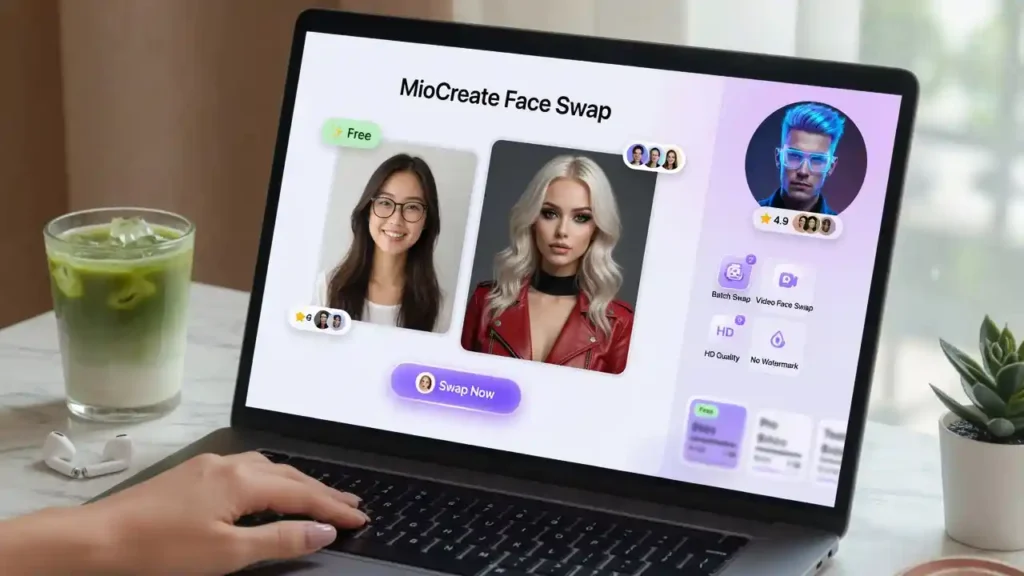
Feature lists mean little without naming what each one actually does. Here is what the miocreate face swap toolkit delivers in real use.
- Photo face swap: replaces up to 10 faces per image.
- Video and GIF swap: handles motion across frames automatically.
- Multi-face support: maps several faces in group shots.
- Lighting and skin-tone blending: reduces visible mismatches.
- PRO model: sharper output on paid plans.
- HD export: available for subscribers.
- Commercial use: permitted within the terms of service.
- Browser-based access: no install required.
Strong on ease. Weaker on complex angles. That trade-off defines the tool.
MioCreate Face Swap Reviews
Reviews split along predictable lines. Casual users praise speed. Professionals notice the edges. Our reading of user feedback and third-party tests points the same way.
- Positive: fast processing, simple interface, good results on clean front-facing photos.
- Mixed: occasional expression mismatches on exaggerated faces.
- Negative: watermarks and daily limits frustrate free users, and video swaps can lag on busy backgrounds.
Our team observed the same pattern reviewers on BeArt’s comparison flagged: it handles simple scenes well and struggles with complex ones. Set expectations by use case.
Alternatives AI Tools
No single face swap tool wins every scenario. That is why comparing options by output quality, watermarks, and video handling beats picking on brand alone. We lined up four credible miocreate face swap alternatives below.
- BeArt AI: watermark-free free tier, strong expression matching, free HD.
- Pica AI: up to 3 faces, deletes uploads within 24 hours, template library.
- Magic Hour: 4K video output, full API access, 3 free videos daily.
- Remaker AI: long video support up to 30 minutes, HD v2 model, batch swaps.
| Tool | Free Watermark | Max Faces | Video | HD Output | API |
|---|---|---|---|---|---|
| MioCreate | Yes | 10 | Yes | Paid | Yes |
| BeArt AI | No | Multiple | Yes | Free | Limited |
| Pica AI | Preview | 3 | Yes | Paid | No |
| Magic Hour | Yes (free) | Multi | 4K | Paid | Full |
| Remaker AI | VIP only | Multi | Up to 30 min | Yes | Yes |
Pick by workflow, not by homepage.
MioCreate Face Swap API
Consumer tools rarely scale into apps. An API changes that. The MioCreate Open API lets developers add face swap into their own software instead of rebuilding detection and blending from scratch.
Per the official API page, it targets developers who want AI face swap as a callable service. That matters once your product needs bulk processing. You manage keys and usage from the developer console.
For high-volume video pipelines, compare it against Magic Hour’s documented API before committing. Benchmarks and model research on arXiv can help you judge output quality objectively.
The Landscape of the droven.io ai startup
MioCreate Today’s News
Face swap moved fast in 2026. Here is the compressed view, minimal prose, tables first.
MioCreate Product Updates (2026)
| Date | Update | Impact |
|---|---|---|
| Q1 2026 | iOS mobile push | Wider mobile access |
| Q2 2026 | PRO model refinement | Sharper HD swaps |
| Q2 2026 | Open API expansion | Easier developer integration |
| Q3 2026 | No-signup free flow | Faster first-time use |
Broader AI Face Swap News (2026)
| Topic | Source Type | Why It Matters |
|---|---|---|
| Deepfake labeling rules | Policy (MIT Tech Review) | Disclosure pressure rising |
| Detection model gains | Research (arXiv) | Harder to pass fakes as real |
| Consumer tool funding | Industry (TechCrunch) | More competition, lower prices |
| Open-source swap repos | Dev (GitHub) | Faster feature copycats |
Market Signal Snapshot
| Metric | Direction | Note |
|---|---|---|
| Free no-signup tools | Up | User expectation shift |
| Watermark enforcement | Up | Monetization pressure |
| Regulation | Tightening | Consent and labeling focus |
Tech insiders are noting the same trend: cheaper access, stricter rules.
Is it Legit?
Legitimacy questions are fair for any AI tool touching faces. On the evidence, this one clears the bar. MioCreate is a real, operating platform with a public site, pricing, an API, and third-party reviews.
It is covered by independent outlets, listed in AI tool directories, and permits commercial use within its terms. The free tier works as advertised, watermarks included. If you were tracking AI tools this year, this positioning won’t surprise you. Legit, with normal consumer-tool limits.
Safe or Scam?
Safe is not the same as risk-free. The software is safe. The misuse is where trouble starts. MioCreate itself is not a scam, and comparable tools like Pica AI state they delete uploads within 24 hours.
Your real risks are legal, not technical:
- Consent: never swap a real person’s face without permission.
- Copyright: avoid protected images and celebrity likenesses in ads.
- Disclosure: label synthetic media where rules require it.
Read the privacy policy before uploading sensitive photos. Used responsibly, it is safe.
FAQ
Is MioCreate face swap free?
Yes, with watermarks and credit limits on the free tier.
How much does it cost?
From $12.99/month to $29.99/year, credit-based.
Does it work on video?
Yes, plus GIFs, with multi-face support.
Do I need an account?
Basic swaps can run without one; accounts save projects.
Is there an API?
Yes, the MioCreate Open API for developers.
How many faces per photo?
Up to 10, with credit cost scaling by count.
Is it safe?
Yes, when used with consent and copyright compliance.
Best alternative?
BeArt AI for watermark-free output; Magic Hour for video and API.